
Download Beer Diary APK – Beer Diary, Beer Tracker, Beer Log, Beer Journal, Beer Review, Beer Tasting, Beer Notes, Beer Diary App
Overview
Beer Diary is a free Android application designed for beer enthusiasts who want to track their drinking experiences with precision and ease. Developed by Lukáš Zeman, the app serves as a digital journal for recording and organizing beer tastings, reviews, and personal notes. It caters to casual drinkers, homebrewers, and connoisseurs who enjoy documenting their favorite brews, including details such as flavor profiles, aroma, and overall impressions. The app helps users build a personalized beer library over time, enabling them to revisit past experiences and discover patterns in their preferences.
By providing a structured way to log beer details, Beer Diary solves the common problem of forgetting specific tasting notes or losing track of where a particular beer was enjoyed. Whether used during a brewery visit, at a beer festival, or at home, the app supports real-world scenarios such as comparing similar styles, tracking seasonal favorites, or sharing curated lists with friends. The software is part of the Food & Drink category, reflecting its niche focus on beverage documentation and personal consumption habits.
Key Features & Capabilities
- Beer Logging – Record each beer consumed with customizable fields such as name, brewery, style, ABV, and tasting notes.
- Multi-Language Support – Available in both English and Czech, making it accessible to a broader international audience.
- Personal Beer Library – Build a growing collection of beers with detailed entries, including past and future tasting records.
- Tagging & Categorization – Organize entries using tags for style, region, occasion, or personal rating.
- Review & Rating System – Assign star ratings and write detailed reviews to evaluate beer quality and personal enjoyment.
Users can leverage these features to maintain a consistent log of their beer experiences, which becomes especially useful when planning future purchases or exploring new brews. For example, a user might tag a beer as “IPA – West Coast” and “Favorite of the Month,” helping them quickly identify top picks. The ability to store notes and ratings enables long-term tracking of personal taste evolution, supporting informed decision-making in future beer selections.
User Interface, Workflow & Performance
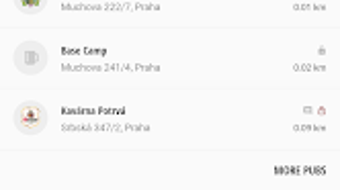
The user interface of Beer Diary is designed to be straightforward and intuitive, focusing on simplicity and ease of navigation. The app likely follows a clean, card-based layout that allows users to view their beer entries in a chronological or categorized list. Navigation between features such as adding a new entry, viewing the library, or accessing settings appears to be streamlined, minimizing the number of steps required to log a beer.
Workflow efficiency is enhanced by quick-access buttons and a minimalistic design, which reduces cognitive load during use. Users can input data swiftly, with fields optimized for mobile input. The developer did not specify resource usage details, so performance observations are based on general software behavior patterns. However, with a file size of 10.6 MB, the app is lightweight and likely to run smoothly on most modern Android devices. Stability appears to be maintained across versions, with the current release being 3.1.1 as of March 10th, 2023.
Compatibility & System Requirements
Beer Diary is compatible with Android 9.0 and above, ensuring it runs on a wide range of modern smartphones and tablets. The application is optimized for mobile devices, with a file size of 10.6 MB, indicating a compact footprint that does not consume significant storage space. The developer did not provide additional system requirements, such as minimum RAM or CPU specifications, so users should rely on general Android device performance standards.
Platform compatibility information is limited to the operating system version and file size. Installation is straightforward, and the app is available for free on the Android platform. No additional dependencies or third-party services are required for core functionality. The app supports both English and Czech languages, which may influence user experience based on regional preferences.
Pros and Cons
Pros
- Free to download and use with no in-app purchases or ads reported
- Lightweight design at just 10.6 MB
- Simple, intuitive interface ideal for quick logging
- Supports multiple languages including English and Czech
- Effective tool for tracking beer preferences and tasting history
Cons
- No official information on cloud sync or backup features
- Limited to Android platform; no version available for iOS or desktop
- Exact performance metrics and resource usage were not specified
- May lack advanced analytics or export options for data sharing
- Developer has not provided detailed documentation or support channels
FAQ Section
Is Beer Diary available for iOS devices?
Currently, the app is only available for Android. There is no official version for iOS devices.
Can I use Beer Diary offline?
Yes, the app functions without an internet connection, allowing users to log beers and access their data while traveling or in areas with poor connectivity.
Does Beer Diary support cloud backup or data sync?
The developer did not specify whether cloud backup or synchronization across devices is supported. All data is stored locally on the device unless otherwise stated.
What languages does Beer Diary support?
Beer Diary is available in English and Czech, offering language options for users in different regions.
How often are updates released?
The latest version, 3.1.1, was released on March 10th, 2023. Update frequency is not publicly documented.
Final Thoughts + CTA
Beer Diary stands out as a focused, lightweight tool for beer lovers who value documentation and personal tracking. Its simple design, multi-language support, and free availability make it an appealing choice for those looking to maintain a digital beer journal. While it lacks advanced features like cloud sync or export tools, its core functionality is solid and well-suited for casual and dedicated users alike.
For anyone passionate about craft beer, homebrewing, or simply keeping a record of their drinking habits, Beer Diary offers a reliable and accessible solution. The app’s minimal resource usage and straightforward interface ensure a smooth experience on most Android devices.
Download Beer Diary now and start building your personal beer collection today.







